title: CentOS Sentinel Installation tags: [“CenotOS”, “Sentinel”,“cicd”] date: 2022-04-30 draft: false
CentOS Sentinel Installation
1、下载
Download地址https://github.com/alibaba/Sentinel/releases
2、安装
提前Create好InstallationPath、Jar包存放File夹、ScriptExecuteFile夹、Logging存放File夹
mkdir /usr/local/ sentinel
mkdir /usr/local/sentinel jar
mkdir /usr/local/sentinel sh
mkdir /usr/local/sentinel log
将sentinel-dashboard-1.8.6.jarExecuteJar包上传至jarFile夹
3、脚本
编写Scriptsentinel.sh,按照自己Path、Version号调整,存放到上面新建的shFile夹中。Script如下:
#!/bin/bash
#这里可替换为你自己的执行程序,其他代码无需更改
SENTINEL_NAME=sentinel-dashboard-1.8.6.jar
#使用说明,用来提示输入参数
usage() {
 echo "Usage: sh sentinel.sh [start|stop|restart|status]"
 exit 1
}

#检查程序是否在运行
is_exist(){
 pid=`ps -ef|grep $SENTINEL_NAME|grep -v grep|awk '{print $2}' `
 #如果不存在返回1,存在返回0
 if [ -z "${pid}" ]; then
 return 1
 else
 return 0
 fi
}

#启动方法
start(){
 is_exist
 if [ $? -eq "0" ]; then
 echo "${SENTINEL_NAME} is already running. pid=${pid} ."
 else
 nohup java -Dserver.port=9100 -Dcsp.sentinel.dashboard.server=192.168.56.10:9100 -Dproject.name=sentinel-dashboard -jar /usr/local/sentinel/jar/$SENTINEL_NAME > /usr/local/sentinel/log/sentinellog.file 2>&1 &
 #nohup java -jar /usr/local/sentinel/jar/$SENTINEL_NAME > /usr/local/sentinel/log/sentinellog.file 2>&1 &
 echo "${SENTINEL_NAME} start success"
 fi
}

#停止方法
stop(){
 is_exist
 if [ $? -eq "0" ]; then
 kill -9 $pid
 else
 echo "${SENTINEL_NAME} is not running"
 fi
}

#输出运行状态
status(){
 is_exist
 if [ $? -eq "0" ]; then
 echo "${SENTINEL_NAME} is running. Pid is ${pid}"
 else
 echo "${SENTINEL_NAME} is NOT running."
 fi
}

#重启
restart(){
 stop
 start
}

#根据输入参数,选择执行对应方法,不输入则执行使用说明
case "$1" in
 "start")
 start
 ;;
 "stop")
 stop
 ;;
 "status")
 status
 ;;
 "restart")
 restart
 ;;
 *)
 usage
 ;;
esac
进入/usr/local/sentinel/sh/File夹下,ExecuteCommand修改Permissions
chmod +x sentinel.sh注意:
1、如果直接复制到windows中文本的,注意windows和linx的换行符不同,导致Start失败,可Usagenotepad++中编辑—>文档格式转换—>转换成Unix格式。
2、注意给ScriptSettingsPermissions
4、测试
本地Test是否能够Start
StartsentinelService
sh sentinel.sh start停止sentinelService
sh sentinel.sh stopRestartsentinelService
sh sentinel.sh restartViewsentinelService状态
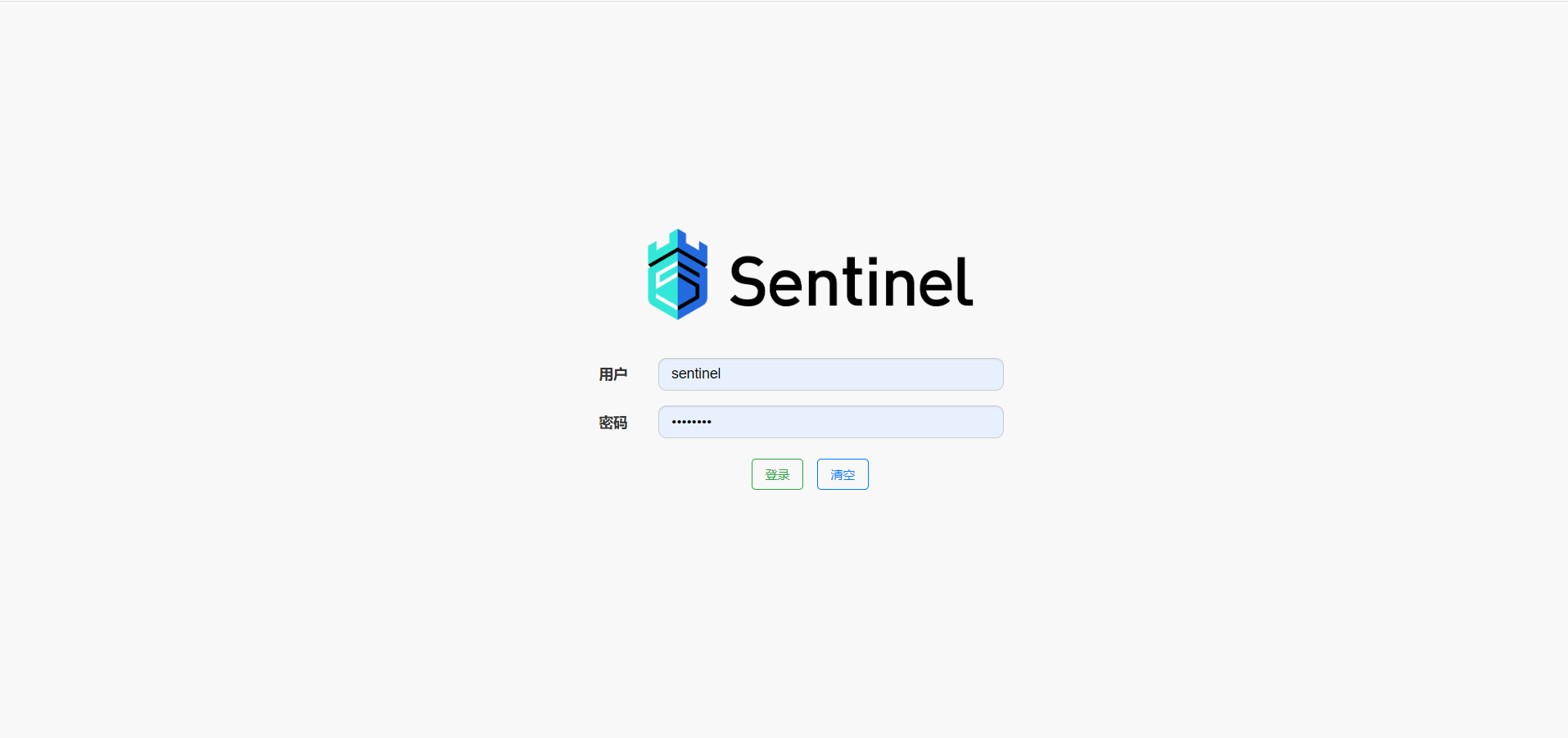
sh sentinel.sh statusServiceStart后,可通过IP+端口+项目名访问Sentinel登录页面
5、自启动
本地Test可通过CommandStart没Problem后,编写StartServicesentinel.service,放到/usr/lib/systemd/systemDirectory,内容如下:
[Unit]
Description=sentinel
After=network.target

[Service]
Environment="JAVA_HOME=/usr/local/java/jdk-11.0.10"
Type=forking
ExecStart=/usr/local/sentinel/sh/sentinel.sh start
ExecReload=/usr/local/sentinel/sh/entinel.sh stop
ExecStop=/usr/local/sentinel/sentinel/sh/sentinel.sh restart
PrivateTmp=true

[Install]
WantedBy=multi-user.target
重载所有Service
systemctl daemon-reloadSet Auto Start on Boot
systemctl enable sentinel.serviceView开机Start状态
systemctl is-enabled sentinel.serviceViewService状态
systemctl status sentinel手动Start Sentinel
systemctl start sentinel手动停止Sentinel
systemctl stop sentinel手动RestartSentinel
systemctl restart sentinel6、结果
根据StartLogging
INFO: Sentinel log output type is: file
INFO: Sentinel log charset is: utf-8
INFO: Sentinel log base directory is: /root/logs/csp/
INFO: Sentinel log name use pid is: false
INFO: Sentinel log level is: INFO

  .   ____          _            __ _ _
 /\\ / ___'_ __ _ _(_)_ __  __ _ \ \ \ \
( ( )\___ | '_ | '_| | '_ \/ _` | \ \ \ \
 \\/  ___)| |_)| | | | | || (_| |  ) ) ) )
  '  |____| .__|_| |_|_| |_\__, | / / / /
 =========|_|==============|___/=/_/_/_/
 :: Spring Boot ::               (v2.5.12)

2022-10-27 15:07:50.068  INFO 733 --- [           main] c.a.c.s.dashboard.DashboardApplication   : Starting DashboardApplication using Java 11.0.10 on 10.0.2.15 with PID 733 (/usr/local/sentinel/jar/sentinel-dashboard-1.8.6.jar started by root in /)
2022-10-27 15:07:50.280  INFO 733 --- [           main] c.a.c.s.dashboard.DashboardApplication   : No active profile set, falling back to 1 default profile: "default"
2022-10-27 15:08:54.090  INFO 733 --- [           main] o.s.b.w.embedded.tomcat.TomcatWebServer  : Tomcat initialized with port(s): 9100 (http)
2022-10-27 15:08:54.616  INFO 733 --- [           main] o.apache.catalina.core.StandardService   : Starting service [Tomcat]
2022-10-27 15:08:54.616  INFO 733 --- [           main] org.apache.catalina.core.StandardEngine  : Starting Servlet engine: [Apache Tomcat/9.0.60]
2022-10-27 15:08:57.256  INFO 733 --- [           main] o.a.c.c.C.[Tomcat].[localhost].[/]       : Initializing Spring embedded WebApplicationContext
2022-10-27 15:08:57.259  INFO 733 --- [           main] w.s.c.ServletWebServerApplicationContext : Root WebApplicationContext: initialization completed in 40159 ms
2022-10-27 15:08:58.193  INFO 733 --- [           main] c.a.c.s.dashboard.config.WebConfig       : Sentinel servlet CommonFilter registered
2022-10-27 15:09:04.587  INFO 733 --- [           main] o.s.b.w.embedded.tomcat.TomcatWebServer  : Tomcat started on port(s): 9100 (http) with context path ''
2022-10-27 15:09:04.788  INFO 733 --- [           main] c.a.c.s.dashboard.DashboardApplication   : Started DashboardApplication in 79.475 seconds (JVM running for 82.322)
2022-10-27 15:09:13.768  INFO 733 --- [nio-9100-exec-3] o.a.c.c.C.[Tomcat].[localhost].[/]       : Initializing Spring DispatcherServlet 'dispatcherServlet'
2022-10-27 15:09:13.807  INFO 733 --- [nio-9100-exec-3] o.s.web.servlet.DispatcherServlet        : Initializing Servlet 'dispatcherServlet'
2022-10-27 15:09:14.119  INFO 733 --- [nio-9100-exec-3] o.s.web.servlet.DispatcherServlet        : Completed initialization in 311 ms
Start成功,通过访问IP+端口+项目,成功访问到Sentinel登录页面,账号:sentinel,密码:sentinel